


The Apple Education Store is a special shopping platform designed for eligible students, teachers, parents, and educational professionals. It provides access to special prices on selected Apple products, helping members of the education community purchase technology at more affordable rates.
Apple products such as MacBook, iPad, and desktop computers are widely used for studying, teaching, research, presentations, online classes, and creative projects. However, these devices can be expensive for students and educational institutions. The Apple Education Store aims to make selected products more accessible through education pricing and special promotional offers.
Students planning to purchase a laptop for university, teachers looking for useful classroom technology, and parents buying devices for their children may benefit from understanding how this program works.
This complete guide explains the Apple Education Store, its eligibility requirements, available products, discounts, benefits, purchasing process, and important things to consider before buying.
What Is the Apple Education Store?

The Apple Education Store is an online shopping platform that offers special pricing on selected Apple products to eligible members of the education sector.
Unlike the regular Apple Store, which is designed for general customers, the education store focuses on students, teachers, and qualifying educational employees.
Its main purpose is to make technology more affordable for people who use digital devices for learning and teaching.
Customers may find special prices on selected products, including MacBook laptops and iPads. The availability of products and discounts depends on the country and Apple’s current education offers.
The Apple Education Store is particularly useful for people who need reliable devices for academic activities, professional development, and everyday productivity.
Who Can Use the Apple Education Store?
The Apple Education Store is not available to everyone at special education prices. Customers must meet specific eligibility requirements.
These requirements can vary depending on the country or region.
College and University Students
Students enrolled in eligible colleges and universities may qualify for education pricing.
They can use Apple devices for preparing assignments, attending online classes, writing research papers, creating presentations, and completing academic projects.
In some regions, newly accepted students may also qualify if they can provide acceptable proof of admission.
Teachers and Educators
Teachers working at eligible educational institutions may be able to purchase selected Apple products at special education prices.
These devices can support lesson preparation, classroom presentations, online teaching, educational research, and communication with students.
University and College Employees
Certain faculty members and employees of eligible higher education institutions may also qualify.
The exact eligibility conditions depend on Apple’s regional education purchasing policy.
Parents of Students
In some countries, parents may purchase eligible Apple products on behalf of students who qualify for education pricing.
However, this benefit is not automatically available in every region. Parents should check the applicable conditions before making a purchase.
Homeschool Teachers
Some regional education programs also recognize eligible homeschool teachers.
The requirements for homeschool educators can differ from those for traditional school and university employees.
Products Available at the Apple Education Store
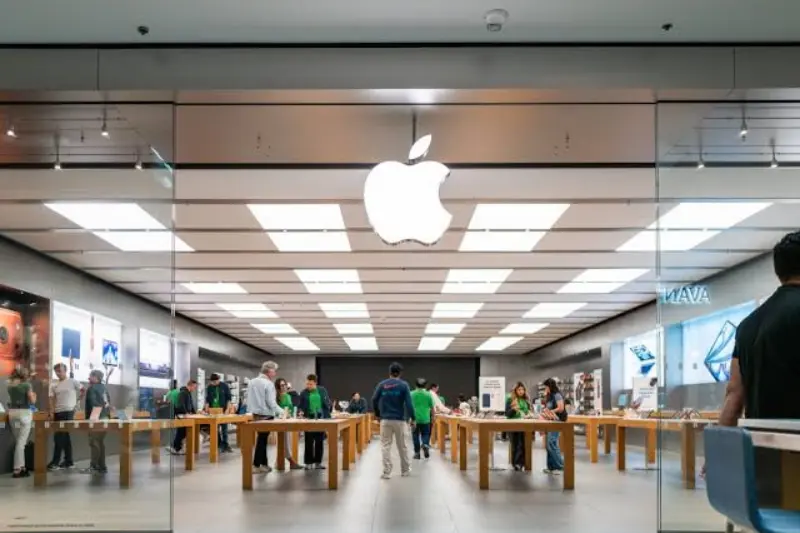
The Apple Education Store may provide special prices on several products. The available selection depends on the regional store and current offers.
MacBook Air
The MacBook Air is a popular choice for students who need a lightweight laptop for everyday academic work.
It can be used for:
- Writing assignments and reports
- Preparing presentations
- Attending online classes
- Browsing educational websites
- Conducting research
- Managing documents and files
- Completing programming and creative projects
Its portable design makes it convenient for students who travel between home, libraries, and educational institutions.
MacBook Pro
The MacBook Pro is designed for users who need more advanced performance for demanding tasks.
It may be suitable for students studying computer science, graphic design, video production, engineering, and other technology-related subjects.
Depending on the model, it can support professional software, advanced creative projects, programming environments, and multitasking.
iPad
The iPad is another useful device for students and teachers.
It can support digital learning, reading, note-taking, online meetings, and educational activities.
Students can use an iPad to read electronic textbooks, organize study materials, complete assignments, and watch educational lessons.
Compatible accessories can make the device more useful for writing notes and working on documents.
iMac
The iMac is an Apple desktop computer designed for users who prefer a fixed workstation.
It may be useful for teachers, designers, students, and professionals who work with presentations, documents, multimedia projects, and other computer-based tasks.
Its larger display can make certain academic and creative activities more comfortable.
Mac Mini
The Mac Mini is a compact desktop computer that can be used for studying, office work, programming, and other productivity activities.
It is an option for people who already have a compatible monitor and want a desktop computer with a smaller physical footprint.
Apple Accessories
Depending on the regional store and current promotions, selected accessories may also be available.
These can include keyboards, mice, styluses, and other products designed to work with Apple devices.
Customers should check product compatibility before purchasing accessories.
You may also like these posts:
Anytime Fitness: A Complete Guide to Membership and Benefits
Bajaj Housing Finance Share Price and Stock Analysis
Tech Mahindra Share Price and Stock Analysis Guide
Education Portal 3.0: Login, Registration and Features
Benefits of Using the Apple Education Store
The Apple Education Store provides several advantages for eligible customers.
Special Education Pricing
One of its main benefits is access to reduced prices on selected Apple products.
Students and teachers may save money compared with standard retail pricing, although the discount amount depends on the product and region.
Affordable Technology for Students
Students often need computers and tablets for assignments, research, presentations, and online education.
Education pricing can make selected Apple devices more accessible to eligible buyers.
Useful Devices for Teachers
Teachers can use Apple products to prepare lessons, organize educational resources, create presentations, and communicate with students.
Support for Digital Learning
Digital devices have become an important part of modern education.
Students can use Apple products to access online courses, digital libraries, learning applications, and educational materials.
Special Seasonal Promotions
Apple sometimes offers back-to-school promotions in selected countries.
These offers may include additional benefits with eligible purchases. However, promotional conditions, products, and dates vary by region.
How to Buy From the Apple Education Store
Purchasing through the Apple Education Store generally involves a few simple steps.
Step 1: Check Regional Availability
First, confirm whether Apple’s education pricing program is available in your country.
The availability of education pricing varies by region, so customers should not assume that offers advertised in one country are available everywhere.
Step 2: Check Your Eligibility
Review the education pricing requirements.
Determine whether you qualify as a student, teacher, parent, or eligible educational employee.
Step 3: Complete Student or Educator Verification
Some regional education stores require customers to verify their educational status.
The verification process may involve providing student information, institutional details, or other acceptable documents.
Step 4: Select an Apple Product
Choose the device that matches your educational or professional requirements.
Compare available models, storage capacities, specifications, and prices before making a decision.
Step 5: Review the Final Price
Check the final product price, taxes, delivery charges, warranty conditions, and any available promotional benefits.
Step 6: Complete Your Purchase
After confirming your eligibility and reviewing your order, follow the purchasing instructions provided by the regional store.
Keep your purchase receipt and order information for future reference.
Documents Required for Apple Education Store Verification
The verification requirements depend on the country and the process used by the regional education store.
Customers may be asked to provide:
- Student identification card
- University or college enrollment information
- Admission confirmation letter
- Educational institution email address
- Teacher identification
- Employment confirmation from an educational institution
- Other documents accepted by the verification provider
You may not need all these documents. The required evidence depends on your eligibility category and regional rules.
Does Apple Education Store Offer Discounts in Pakistan?
Students in Pakistan should understand that Apple’s education pricing is not automatically available in every country.
Some countries have dedicated education stores with special pricing and verification systems. However, the availability and benefits of these programs differ between regions.
People living in Pakistan should check the applicable regional purchasing options before expecting student discounts.
If a dedicated education pricing program is unavailable for their location, students can consider purchasing through legitimate local retailers or authorized sellers.
Before purchasing an Apple device in Pakistan, compare:
- Product price
- Warranty coverage
- Seller reputation
- Product authenticity
- Return and exchange policy
- Device model and specifications
These factors are important because the cheapest advertised price does not always represent the best purchase.
Apple Education Store vs. Regular Apple Store
The education store and regular Apple Store both provide access to Apple products, but they serve different customer groups.
| Feature | Apple Education Store | Regular Apple Store |
|---|---|---|
| Target customers | Eligible students and educators | General customers |
| Pricing | Special education prices on selected products | Standard retail prices |
| Verification | May be required | Usually not required |
| Product availability | Selected eligible products | General product selection |
| Special offers | Education promotions where available | General promotional offers |
| Regional access | Depends on country | Depends on country |
The education store may offer better prices to eligible customers, but the final savings depend on the product and regional conditions.
How Much Can You Save at the Apple Education Store?
The amount customers can save depends on several factors.
These include the selected Apple device, model, storage capacity, country, and current promotional offers.
For example, education pricing on a MacBook may differ from the pricing available for an iPad.
Some products may receive special discounts, while others may be sold at their regular prices.
Customers should compare the education price with the standard retail price before purchasing. They should also consider taxes, delivery charges, and accessories when calculating the total cost.
What Is Apple’s Back-to-School Offer?
Apple sometimes introduces back-to-school offers for students and educators during the academic admission season.
These promotions are designed to encourage eligible customers to purchase technology for their educational needs.
Depending on the country and promotional period, offers may include additional benefits such as gift cards or selected accessories with eligible purchases.
However, back-to-school promotions are not available throughout the year.
Each promotion has specific terms, including:
- Start and end dates
- Eligible products
- Customer eligibility
- Purchase limits
- Promotional benefits
- Regional availability
Customers should carefully review the applicable conditions before placing an order.
Is the Apple Education Store Safe and Genuine?
Yes. Apple’s official Education Store is a legitimate shopping platform operated by Apple.
However, customers should be careful when purchasing from websites or sellers claiming to offer official Apple student discounts.
Some sellers may advertise unrealistic prices or falsely claim to provide official education offers.
To protect yourself, follow these precautions:
- Purchase through Apple’s official regional store when available.
- Check the seller’s reputation before ordering.
- Avoid unrealistic discount offers.
- Never share your Apple Account password with unknown sellers.
- Check the warranty conditions.
- Request a proper purchase receipt.
- Confirm the device model and specifications.
- Understand the return and exchange policy.
Taking these precautions can help customers avoid counterfeit products and misleading offers.
How to Choose the Best Apple Device for Your Studies
Choosing the right Apple device depends on your educational needs, budget, and preferred working style.
Choose MacBook for Regular Computer Work
A MacBook may be a suitable choice for students who regularly prepare assignments, work with spreadsheets, create presentations, use professional software, or study programming.
Choose iPad for Digital Note-Taking
An iPad may be useful for students who prefer reading digital textbooks, writing notes, watching educational videos, and attending online classes.
Consider Your Study Program
Different educational programs require different types of technology.
For example, a student studying graphic design may have different software and performance requirements from someone studying commerce or humanities.
Check Software Compatibility
Before buying an Apple device, confirm that the applications required by your university or educational institution are compatible with the operating system.
Consider Your Budget
Do not choose a device only because it is popular.
Compare its features with your actual requirements. A less expensive model may be sufficient for everyday educational activities.
Common Mistakes to Avoid When Shopping at the Apple Education Store
Customers should understand the purchasing rules before placing an order.
Assuming Every Student Qualifies
Not every student automatically qualifies for education pricing. Eligibility depends on Apple’s regional requirements.
Ignoring Verification Requirements
Some customers experience delays because they do not have the required educational documents.
Check the verification process before starting your purchase.
Choosing the Wrong Device
Buying an expensive device without understanding its specifications can lead to unnecessary spending.
Choose a product according to your study requirements.
Ignoring Regional Differences
Education discounts, product availability, and promotional offers can differ between countries.
Do not assume that an offer available in another country will also be available locally.
Forgetting Warranty and Return Conditions
Always review warranty coverage, service options, and return policies before purchasing an Apple product.
Frequently Asked Questions
What is the Apple Education Store?
The Apple Education Store is a special shopping platform that provides education pricing on selected Apple products for eligible students, teachers, parents, and educational employees in participating regions.
Can students get discounts from the Apple Education Store?
Yes. Eligible students may receive special prices on selected Apple products. The available discounts depend on the country, product, and current offers.
Does Apple Education Store sell MacBook at a discounted price?
Selected MacBook models may be available at special education prices in participating countries. The actual price depends on the model and regional pricing policy.
Is the Apple Education Store available in Pakistan?
Education pricing availability depends on Apple’s regional programs. Customers in Pakistan should check the applicable purchasing options rather than assuming that offers in other countries are available locally.
Do I need a student ID to purchase from the Apple Education Store?
A student ID may be accepted as proof of eligibility, but requirements vary by country. Some regional stores may use an online verification service or request other educational documents.
Conclusion
The Apple Education Store is a valuable purchasing option for eligible students, teachers, parents, and educational professionals. It provides special pricing on selected Apple products and helps make technology more accessible for learning, teaching, research, and productivity.
Products such as MacBook, iPad, iMac, and Mac Mini can support different educational requirements. However, customers should carefully compare device specifications, prices, and regional availability before making a purchase.
Education pricing is not available everywhere, and eligibility requirements vary by country. Students and teachers should always confirm the applicable conditions and use legitimate purchasing channels.
By understanding the Apple Education Store, customers can make better decisions, choose suitable devices, and potentially save money on their educational technology purchases.
